nerdgif (Animated)
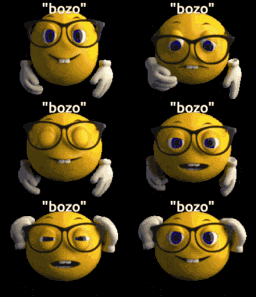
What does the nerdgif emoji mean?
The ultimate way to call someone out for being a total nerd.
This animated emoji features a classic 3D-style yellow smiley face adjusting its glasses, often used to mock someone for being overly pedantic or 'nerdy.' It is a staple in Discord servers for sarcastically dismissing an unwanted 'well, actually' comment or pointing out someone's annoying behavior. The 'bozo' text overlay adds an extra layer of condescension to the interaction.
When to use it
- Mocking someone for being overly pedantic
- Calling out an annoying know-it-all user
- Dismissing a long and unwanted explanation
- Teasing friends for their nerdy interests
Part of these collections
Related emoji searches
More inspired emojis
Embed & share
How to add this emoji
Add to Discord
- Click Add to my server above and pick a Discord server you manage (CommunityOne must be installed).
- Or download the file: open Discord → Server Settings → Emoji → Upload Emoji.
- Give it a name and save. You need Manage Server (or Create Expressions) permission.
Add to Slack
- Download the nerdgif image.
- Open the Slack emoji picker and click Add Emoji.
- Upload the file, name it, and save.
Add to Revolt/Stoat
- Download the nerdgif image.
- Open Server Settings → Emojis in Revolt or Stoat.
- Upload the file and name your new emoji.
Add to Guilded
- Download the nerdgif image.
- Go to Server Settings → Emotes in Guilded.
- Upload the file and give it a name.











