Camera
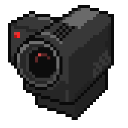
What does the Camera emoji mean?
Caught you in 4K with this retro pixel camera.
This pixel art camera is the ultimate tool for calling out suspicious behavior or capturing a 'caught in the act' moment in chat. Its retro aesthetic makes it a versatile addition to any server, perfect for when someone says something questionable or you need to 'record' the chaos unfolding in real-time.
When to use it
- Recording a suspicious message in the chat
- Calling out someone for being caught lying
- Documenting a hilarious or chaotic server moment
- Acting like a paparazzi for server drama
Part of these collections
Related emoji searches
More inspired emojis
Embed & share
How to add this emoji
Add to Discord
- Click Add to my server above and pick a Discord server you manage (CommunityOne must be installed).
- Or download the file: open Discord → Server Settings → Emoji → Upload Emoji.
- Give it a name and save. You need Manage Server (or Create Expressions) permission.
Add to Slack
- Download the Camera image.
- Open the Slack emoji picker and click Add Emoji.
- Upload the file, name it, and save.
Add to Revolt/Stoat
- Download the Camera image.
- Open Server Settings → Emojis in Revolt or Stoat.
- Upload the file and name your new emoji.
Add to Guilded
- Download the Camera image.
- Go to Server Settings → Emotes in Guilded.
- Upload the file and give it a name.











