catcocky
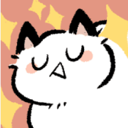
What does the catcocky emoji mean?
A smug, self-satisfied cat radiating pure unbothered energy.
This emoji features a stylized, hand-drawn cat with a smug, closed-eye expression that perfectly captures an 'I told you so' attitude. It is a staple in Discord servers for moments of playful arrogance, lighthearted teasing, or when you want to signal that you are completely unfazed by the current conversation. Its simple, cute aesthetic makes it versatile for both ironic and genuine expressions of confidence.
When to use it
- Flexing on friends after winning a game
- Reacting to someone saying something obviously wrong
- Showing off your latest achievement in chat
- Signaling that you are completely unbothered today
Part of these collections
Related emoji searches
More inspired emojis
Embed & share
How to add this emoji
Add to Discord
- Click Add to my server above and pick a Discord server you manage (CommunityOne must be installed).
- Or download the file: open Discord → Server Settings → Emoji → Upload Emoji.
- Give it a name and save. You need Manage Server (or Create Expressions) permission.
Add to Slack
- Download the catcocky image.
- Open the Slack emoji picker and click Add Emoji.
- Upload the file, name it, and save.
Add to Revolt/Stoat
- Download the catcocky image.
- Open Server Settings → Emojis in Revolt or Stoat.
- Upload the file and name your new emoji.
Add to Guilded
- Download the catcocky image.
- Go to Server Settings → Emotes in Guilded.
- Upload the file and give it a name.











