catshok
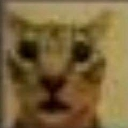
What does the catshok emoji mean?
A deeply cursed, low-resolution cat staring into your soul with pure, unadulterated shock.
This emoji features a heavily pixelated, deep-fried image of a cat with a wide-eyed, blank expression that captures a specific kind of digital existential dread. It is a staple in Discord servers for reacting to bizarre, nonsensical, or deeply unsettling messages where words simply fail to convey the level of confusion or shock felt by the user.
When to use it
- Expressing total disbelief at a bizarre statement
- Reacting to an incredibly cursed or weird image
- Showing deep confusion during a chaotic conversation
- Highlighting a moment of pure digital existential dread
Part of these collections
Related emoji searches
More inspired emojis
Embed & share
How to add this emoji
Add to Discord
- Click Add to my server above and pick a Discord server you manage (CommunityOne must be installed).
- Or download the file: open Discord → Server Settings → Emoji → Upload Emoji.
- Give it a name and save. You need Manage Server (or Create Expressions) permission.
Add to Slack
- Download the catshok image.
- Open the Slack emoji picker and click Add Emoji.
- Upload the file, name it, and save.
Add to Revolt/Stoat
- Download the catshok image.
- Open Server Settings → Emojis in Revolt or Stoat.
- Upload the file and name your new emoji.
Add to Guilded
- Download the catshok image.
- Go to Server Settings → Emotes in Guilded.
- Upload the file and give it a name.











