CelebratingWinnieThePoohSticker (Animated)
What does the CelebratingWinnieThePoohSticker emoji mean?
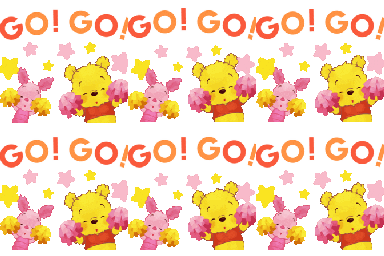
Winnie the Pooh and Piglet are here to cheer you on with maximum enthusiasm!
This sticker features Winnie the Pooh and Piglet in a high-energy cheerleading sequence, complete with pom-poms and stars. It is perfect for Discord servers when you need to celebrate a teammate's win, encourage a friend, or bring some wholesome Disney magic to the chat.
When to use it
- Celebrating a friend's big personal achievement
- Cheering on teammates during a competitive game
- Sending positive vibes to a stressed friend
- Showing support for a successful group project
Part of these collections
Related emoji searches
More inspired emojis
Embed & share
How to add this emoji
Add to Discord
- Click Add to my server above and pick a Discord server you manage (CommunityOne must be installed).
- Or download the file: open Discord → Server Settings → Emoji → Upload Emoji.
- Give it a name and save. You need Manage Server (or Create Expressions) permission.
Add to Slack
- Download the CelebratingWinnieThePoohSticker image.
- Open the Slack emoji picker and click Add Emoji.
- Upload the file, name it, and save.
Add to Revolt/Stoat
- Download the CelebratingWinnieThePoohSticker image.
- Open Server Settings → Emojis in Revolt or Stoat.
- Upload the file and name your new emoji.
Add to Guilded
- Download the CelebratingWinnieThePoohSticker image.
- Go to Server Settings → Emotes in Guilded.
- Upload the file and give it a name.











