cute
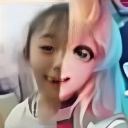
What does the cute emoji mean?
When you're half-real, half-anime, and 100% chaotic.
This emoji features a split-face edit contrasting a real-life person with an anime-style character. It is a staple of internet culture, often used to represent the duality of online personas or the transition from reality to digital fantasy. It is perfect for Discord servers where users want to express a sense of irony or playful absurdity.
When to use it
- Expressing a dual personality in chat
- Showing off a transition to anime form
- Reacting to something weirdly relatable online
- Highlighting the contrast between reality and fiction
Part of these collections
Related emoji searches
More inspired emojis
Embed & share
How to add this emoji
Add to Discord
- Click Add to my server above and pick a Discord server you manage (CommunityOne must be installed).
- Or download the file: open Discord → Server Settings → Emoji → Upload Emoji.
- Give it a name and save. You need Manage Server (or Create Expressions) permission.
Add to Slack
- Download the cute image.
- Open the Slack emoji picker and click Add Emoji.
- Upload the file, name it, and save.
Add to Revolt/Stoat
- Download the cute image.
- Open Server Settings → Emojis in Revolt or Stoat.
- Upload the file and name your new emoji.
Add to Guilded
- Download the cute image.
- Go to Server Settings → Emotes in Guilded.
- Upload the file and give it a name.











