cutebear
What does the cutebear emoji mean?
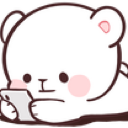
Just scrolling through the drama and minding my own business.
This adorable white bear character, often associated with the popular Milk and Mocha sticker series, is depicted calmly browsing on a smartphone. It is a staple in Discord servers for signaling that you are reading chat history, checking notifications, or simply lurking while staying updated on the conversation.
When to use it
- Indicating you are reading the current chat
- Showing you are checking your phone notifications
- Signaling that you are lurking in silence
- Reacting to someone sharing interesting online content
Part of these collections
Related emoji searches
More inspired emojis
Embed & share
How to add this emoji
Add to Discord
- Click Add to my server above and pick a Discord server you manage (CommunityOne must be installed).
- Or download the file: open Discord → Server Settings → Emoji → Upload Emoji.
- Give it a name and save. You need Manage Server (or Create Expressions) permission.
Add to Slack
- Download the cutebear image.
- Open the Slack emoji picker and click Add Emoji.
- Upload the file, name it, and save.
Add to Revolt/Stoat
- Download the cutebear image.
- Open Server Settings → Emojis in Revolt or Stoat.
- Upload the file and name your new emoji.
Add to Guilded
- Download the cutebear image.
- Go to Server Settings → Emotes in Guilded.
- Upload the file and give it a name.











