e_1jammin
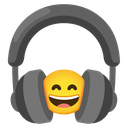
What does the e_1jammin emoji mean?
Get lost in the rhythm with this vibing, music-loving smiley.
This emoji features a classic grinning smiley face wearing large, over-ear headphones, perfectly capturing the feeling of being completely immersed in a favorite track. It is a staple in Discord servers for music channels, gaming sessions, or simply signaling that you are AFK and listening to music. Use it to show you are jamming out or to acknowledge a great song recommendation.
When to use it
- Showing you are listening to good music
- Signaling you are currently in a flow state
- Reacting to a great song recommendation link
- Expressing joy while gaming with background music
Part of these collections
Related emoji searches
More inspired emojis
Embed & share
How to add this emoji
Add to Discord
- Click Add to my server above and pick a Discord server you manage (CommunityOne must be installed).
- Or download the file: open Discord → Server Settings → Emoji → Upload Emoji.
- Give it a name and save. You need Manage Server (or Create Expressions) permission.
Add to Slack
- Download the e_1jammin image.
- Open the Slack emoji picker and click Add Emoji.
- Upload the file, name it, and save.
Add to Revolt/Stoat
- Download the e_1jammin image.
- Open Server Settings → Emojis in Revolt or Stoat.
- Upload the file and name your new emoji.
Add to Guilded
- Download the e_1jammin image.
- Go to Server Settings → Emotes in Guilded.
- Upload the file and give it a name.











