emoji_194
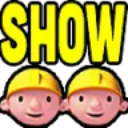
What does the emoji_194 emoji mean?
Can we fix it? Yes we can, and we're showing off about it.
This emoji features the iconic Bob the Builder character duplicated with the word SHOW in bold yellow text above them. It is commonly used in Discord servers to signal the start of a stream, a show-and-tell event, or to sarcastically mock someone who is trying too hard to show off their work.
When to use it
- Announcing the start of a live stream
- Showing off a new project or build
- Mocking someone who is bragging too much
- Signaling that it is time for showtime
Part of these collections
Related emoji searches
More inspired emojis
Embed & share
How to add this emoji
Add to Discord
- Click Add to my server above and pick a Discord server you manage (CommunityOne must be installed).
- Or download the file: open Discord → Server Settings → Emoji → Upload Emoji.
- Give it a name and save. You need Manage Server (or Create Expressions) permission.
Add to Slack
- Download the emoji_194 image.
- Open the Slack emoji picker and click Add Emoji.
- Upload the file, name it, and save.
Add to Revolt/Stoat
- Download the emoji_194 image.
- Open Server Settings → Emojis in Revolt or Stoat.
- Upload the file and name your new emoji.
Add to Guilded
- Download the emoji_194 image.
- Go to Server Settings → Emotes in Guilded.
- Upload the file and give it a name.











