emoji_2
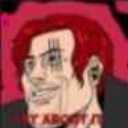
What does the emoji_2 emoji mean?
A smug, red-haired character challenging you to deal with the situation.
This emoji features a stylized, smug-looking character with vibrant red hair, reminiscent of the 'GigaChad' meme format. It is frequently used in Discord servers to mock someone, dismiss an argument, or sarcastically suggest that the recipient should just 'deal with it.' The bold, confrontational energy makes it a staple for banter and lighthearted trolling.
When to use it
- -Dismissing someone's complaints in a chat
- -Mocking a friend for being overly sensitive
- -Asserting dominance during a heated debate
- -Reacting to an annoying or trivial request
Part of these collections
Related emoji searches
More inspired emojis
Embed & share
How to add this emoji
Add to Discord
- Click Add to my server above and pick a Discord server you manage (CommunityOne must be installed).
- Or download the file: open Discord → Server Settings → Emoji → Upload Emoji.
- Give it a name and save. You need Manage Server (or Create Expressions) permission.
Add to Slack
- Download the emoji_2 image.
- Open the Slack emoji picker and click Add Emoji.
- Upload the file, name it, and save.
Add to Revolt/Stoat
- Download the emoji_2 image.
- Open Server Settings → Emojis in Revolt or Stoat.
- Upload the file and name your new emoji.
Add to Guilded
- Download the emoji_2 image.
- Go to Server Settings → Emotes in Guilded.
- Upload the file and give it a name.











