emoji_34
What does the emoji_34 emoji mean?
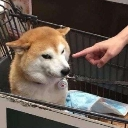
A Shiba Inu giving the ultimate side-eye to a finger pointing at it.
This emoji features the iconic 'Doge' style Shiba Inu looking incredibly suspicious and unimpressed. It is commonly used in Discord servers to react to someone saying something questionable, acting out of line, or being caught in a lie.
When to use it
- Expressing deep suspicion of someone's questionable claims
- Reacting to someone acting completely out of line
- Calling out a friend for being totally sus
- Showing disbelief at a ridiculous statement made
Part of these collections
Related emoji searches
More inspired emojis
Embed & share
How to add this emoji
Add to Discord
- Click Add to my server above and pick a Discord server you manage (CommunityOne must be installed).
- Or download the file: open Discord → Server Settings → Emoji → Upload Emoji.
- Give it a name and save. You need Manage Server (or Create Expressions) permission.
Add to Slack
- Download the emoji_34 image.
- Open the Slack emoji picker and click Add Emoji.
- Upload the file, name it, and save.
Add to Revolt/Stoat
- Download the emoji_34 image.
- Open Server Settings → Emojis in Revolt or Stoat.
- Upload the file and name your new emoji.
Add to Guilded
- Download the emoji_34 image.
- Go to Server Settings → Emotes in Guilded.
- Upload the file and give it a name.











