emoji_79 (Animated)
What does the emoji_79 emoji mean?
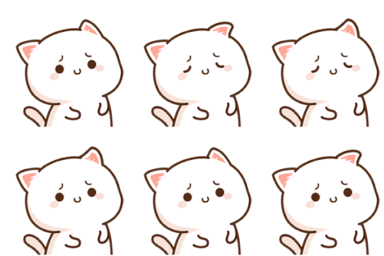
A tiny, nervous kitten trying its best to stay brave.
This adorable white kitten features the classic 'mochi' art style, often associated with soft, expressive sticker sets popular in messaging apps. Its subtle, slightly worried expression makes it perfect for moments when you are feeling a bit shy, uncertain, or cautiously optimistic in a Discord conversation. It is a staple for servers that enjoy cute, wholesome, and minimalist aesthetic reactions.
When to use it
- Expressing mild concern about a new situation
- Showing shy hesitation when joining a conversation
- Reacting to something slightly awkward or confusing
- Displaying gentle nervousness during a group chat
Part of these collections
Related emoji searches
More inspired emojis
Embed & share
How to add this emoji
Add to Discord
- Click Add to my server above and pick a Discord server you manage (CommunityOne must be installed).
- Or download the file: open Discord → Server Settings → Emoji → Upload Emoji.
- Give it a name and save. You need Manage Server (or Create Expressions) permission.
Add to Slack
- Download the emoji_79 image.
- Open the Slack emoji picker and click Add Emoji.
- Upload the file, name it, and save.
Add to Revolt/Stoat
- Download the emoji_79 image.
- Open Server Settings → Emojis in Revolt or Stoat.
- Upload the file and name your new emoji.
Add to Guilded
- Download the emoji_79 image.
- Go to Server Settings → Emotes in Guilded.
- Upload the file and give it a name.











