emoji_8
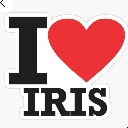
What does the emoji_8 emoji mean?
Declare your undying devotion to Iris with this classic heart-centered sticker.
This emoji is a playful take on the iconic 'I Heart NY' design, adapted to show affection for someone named Iris. It is perfect for Discord servers where a member named Iris is a beloved regular, or for expressing general love for the name itself. Use it to show appreciation, support, or just to be silly when Iris joins the chat.
When to use it
- Expressing love for a friend named Iris
- Welcoming Iris into a busy voice channel
- Showing appreciation for an Iris user's comment
- Celebrating a special moment with Iris
Part of these collections
Related emoji searches
More inspired emojis
Embed & share
How to add this emoji
Add to Discord
- Click Add to my server above and pick a Discord server you manage (CommunityOne must be installed).
- Or download the file: open Discord → Server Settings → Emoji → Upload Emoji.
- Give it a name and save. You need Manage Server (or Create Expressions) permission.
Add to Slack
- Download the emoji_8 image.
- Open the Slack emoji picker and click Add Emoji.
- Upload the file, name it, and save.
Add to Revolt/Stoat
- Download the emoji_8 image.
- Open Server Settings → Emojis in Revolt or Stoat.
- Upload the file and name your new emoji.
Add to Guilded
- Download the emoji_8 image.
- Go to Server Settings → Emotes in Guilded.
- Upload the file and give it a name.











