favorite_tool
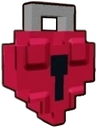
What does the favorite_tool emoji mean?
Lock your heart away with this charming pixelated treasure.
This pixel-art heart padlock represents a guarded or protected affection, often used in gaming communities to signify a locked-in relationship or a protected item. It blends the aesthetic of classic 8-bit RPGs with romantic symbolism, making it a perfect addition to servers that focus on gaming, roleplay, or close-knit friend groups.
When to use it
- Expressing commitment to a special someone
- Signifying a locked or private chat channel
- Showing dedication to a favorite game item
- Marking a secure or protected romantic bond
Also known as:
:FavoriteTool:
Part of these collections
Related emoji searches
More inspired emojis
Embed & share
How to add this emoji
Add to Discord
- Click Add to my server above and pick a Discord server you manage (CommunityOne must be installed).
- Or download the file: open Discord → Server Settings → Emoji → Upload Emoji.
- Give it a name and save. You need Manage Server (or Create Expressions) permission.
Add to Slack
- Download the favorite_tool image.
- Open the Slack emoji picker and click Add Emoji.
- Upload the file, name it, and save.
Add to Revolt/Stoat
- Download the favorite_tool image.
- Open Server Settings → Emojis in Revolt or Stoat.
- Upload the file and name your new emoji.
Add to Guilded
- Download the favorite_tool image.
- Go to Server Settings → Emotes in Guilded.
- Upload the file and give it a name.











