FOR
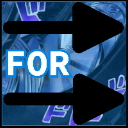
What does the FOR emoji mean?
A bold, directional command that cuts straight to the point.
This emoji features the word 'FOR' flanked by two prominent black arrows, drawing inspiration from the iconic 'To Be Continued' meme style from JoJo's Bizarre Adventure. It is frequently used in Discord chats to point towards a specific message, user, or link, acting as a visual signpost. Its punchy, high-contrast design makes it perfect for directing attention in chaotic server channels.
When to use it
- Directing attention toward a specific chat message
- Pointing at a user in the member list
- Highlighting a link posted in the channel
- Emphasizing a point made in previous text
Part of these collections
Related emoji searches
More inspired emojis
Embed & share
How to add this emoji
Add to Discord
- Click Add to my server above and pick a Discord server you manage (CommunityOne must be installed).
- Or download the file: open Discord → Server Settings → Emoji → Upload Emoji.
- Give it a name and save. You need Manage Server (or Create Expressions) permission.
Add to Slack
- Download the FOR image.
- Open the Slack emoji picker and click Add Emoji.
- Upload the file, name it, and save.
Add to Revolt/Stoat
- Download the FOR image.
- Open Server Settings → Emojis in Revolt or Stoat.
- Upload the file and name your new emoji.
Add to Guilded
- Download the FOR image.
- Go to Server Settings → Emotes in Guilded.
- Upload the file and give it a name.











