FW_Lurk
What does the FW_Lurk emoji mean?
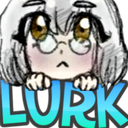
A cute, bespectacled anime character peeking over the edge to watch the chat unfold.
This emoji features a stylized anime-inspired character with large, curious eyes and glasses, peering over the word 'LURK'. It is commonly used in Discord servers to signal that a user is silently observing the conversation without actively participating. It captures the essence of the 'lurker' internet subculture, perfect for when you are just watching the drama or chat flow from the sidelines.
When to use it
- Signaling that you are watching the chat
- Admitting to reading messages without typing replies
- Showing you are observing a heated discussion
- Peeking into a channel to check activity
Part of these collections
Related emoji searches
More inspired emojis
Embed & share
How to add this emoji
Add to Discord
- Click Add to my server above and pick a Discord server you manage (CommunityOne must be installed).
- Or download the file: open Discord → Server Settings → Emoji → Upload Emoji.
- Give it a name and save. You need Manage Server (or Create Expressions) permission.
Add to Slack
- Download the FW_Lurk image.
- Open the Slack emoji picker and click Add Emoji.
- Upload the file, name it, and save.
Add to Revolt/Stoat
- Download the FW_Lurk image.
- Open Server Settings → Emojis in Revolt or Stoat.
- Upload the file and name your new emoji.
Add to Guilded
- Download the FW_Lurk image.
- Go to Server Settings → Emotes in Guilded.
- Upload the file and give it a name.











