gaming
What does the gaming emoji mean?
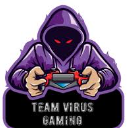
Level up your chat with this intense, hooded gamer ready to dominate the lobby.
This emoji features a mysterious, hooded figure with glowing red eyes, perfectly capturing the 'pro gamer' aesthetic often found in esports team branding. It is ideal for Discord servers focused on competitive gaming, streaming, or team-based communication to signal focus, intensity, or a serious gaming session.
When to use it
- Signaling intense focus during a competitive match
- Announcing a new gaming session in chat
- Representing a dedicated esports team or clan
- Showing off a serious and competitive attitude
Part of these collections
Related emoji searches
More inspired emojis
Embed & share
How to add this emoji
Add to Discord
- Click Add to my server above and pick a Discord server you manage (CommunityOne must be installed).
- Or download the file: open Discord → Server Settings → Emoji → Upload Emoji.
- Give it a name and save. You need Manage Server (or Create Expressions) permission.
Add to Slack
- Download the gaming image.
- Open the Slack emoji picker and click Add Emoji.
- Upload the file, name it, and save.
Add to Revolt/Stoat
- Download the gaming image.
- Open Server Settings → Emojis in Revolt or Stoat.
- Upload the file and name your new emoji.
Add to Guilded
- Download the gaming image.
- Go to Server Settings → Emotes in Guilded.
- Upload the file and give it a name.











