gdnRilakkumaLike
What does the gdnRilakkumaLike emoji mean?
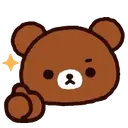
Rilakkuma gives a cute, approving thumbs up to seal the deal.
This emoji features Rilakkuma, the popular Japanese bear character known for his relaxed and carefree nature. It is commonly used in Discord servers to show agreement, approval, or to give a friendly thumbs up in a conversation. Its kawaii aesthetic makes it a perfect addition for lighthearted and wholesome chat interactions.
When to use it
- Agreeing with a friend's suggestion in chat
- Giving a thumbs up to confirm plans
- Showing approval for a shared link
- Reacting to a positive message from others
Part of these collections
Related emoji searches
More inspired emojis
Embed & share
How to add this emoji
Add to Discord
- Click Add to my server above and pick a Discord server you manage (CommunityOne must be installed).
- Or download the file: open Discord → Server Settings → Emoji → Upload Emoji.
- Give it a name and save. You need Manage Server (or Create Expressions) permission.
Add to Slack
- Download the gdnRilakkumaLike image.
- Open the Slack emoji picker and click Add Emoji.
- Upload the file, name it, and save.
Add to Revolt/Stoat
- Download the gdnRilakkumaLike image.
- Open Server Settings → Emojis in Revolt or Stoat.
- Upload the file and name your new emoji.
Add to Guilded
- Download the gdnRilakkumaLike image.
- Go to Server Settings → Emotes in Guilded.
- Upload the file and give it a name.











