herobrineface
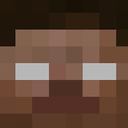
What does the herobrineface emoji mean?
The legendary Minecraft urban legend is watching you from the chat.
Herobrine is one of the most famous creepypastas in gaming history, originating as a mysterious, white-eyed version of the default Minecraft character. This emoji captures that iconic, eerie stare, making it a perfect addition for servers that enjoy gaming nostalgia, horror themes, or just trolling friends with a classic jump-scare vibe.
When to use it
- -signaling presence of a mysterious server member
- -reacting to a creepy or unsettling message
- -trolling friends with classic gaming urban legends
- -mocking someone acting like a secret stalker
Part of these collections
Related emoji searches
More inspired emojis
Embed & share
How to add this emoji
Add to Discord
- Click Add to my server above and pick a Discord server you manage (CommunityOne must be installed).
- Or download the file: open Discord → Server Settings → Emoji → Upload Emoji.
- Give it a name and save. You need Manage Server (or Create Expressions) permission.
Add to Slack
- Download the herobrineface image.
- Open the Slack emoji picker and click Add Emoji.
- Upload the file, name it, and save.
Add to Revolt/Stoat
- Download the herobrineface image.
- Open Server Settings → Emojis in Revolt or Stoat.
- Upload the file and name your new emoji.
Add to Guilded
- Download the herobrineface image.
- Go to Server Settings → Emotes in Guilded.
- Upload the file and give it a name.











