__
What does the __ emoji mean?
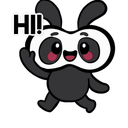
A friendly little creature waving hello to start the conversation.
This cute, stylized character features a simple, bold design that makes it perfect for casual greetings in Discord servers. Its friendly wave and 'HI!' text overlay make it an ideal way to welcome new members or acknowledge someone entering a voice channel.
When to use it
- Welcoming new members to the server chat
- Greeting friends when they join voice channels
- Starting a friendly conversation with someone new
- Acknowledging a message with a cheerful wave
Part of these collections
Related emoji searches
More inspired emojis
Embed & share
How to add this emoji
Add to Discord
- Click Add to my server above and pick a Discord server you manage (CommunityOne must be installed).
- Or download the file: open Discord → Server Settings → Emoji → Upload Emoji.
- Give it a name and save. You need Manage Server (or Create Expressions) permission.
Add to Slack
- Download the __ image.
- Open the Slack emoji picker and click Add Emoji.
- Upload the file, name it, and save.
Add to Revolt/Stoat
- Download the __ image.
- Open Server Settings → Emojis in Revolt or Stoat.
- Upload the file and name your new emoji.
Add to Guilded
- Download the __ image.
- Go to Server Settings → Emotes in Guilded.
- Upload the file and give it a name.











