LoadingEmoji (Animated)
What does the LoadingEmoji emoji mean?
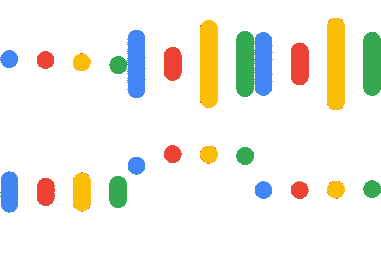
The iconic Google Assistant voice wave, ready to process your commands.
This emoji features the signature Google Assistant sound wave animation, instantly recognizable as the visual indicator for voice input. It is widely used in tech-focused Discord servers to signify that someone is listening, speaking, or to jokingly mock the AI's tendency to trigger accidentally.
When to use it
- -signaling that you are currently listening
- -mocking accidental voice assistant activations
- -representing voice commands in text chat
- -indicating a digital or AI presence
Also known as:
:emoji_3:
Part of these collections
Related emoji searches
More inspired emojis
Embed & share
How to add this emoji
Add to Discord
- Click Add to my server above and pick a Discord server you manage (CommunityOne must be installed).
- Or download the file: open Discord → Server Settings → Emoji → Upload Emoji.
- Give it a name and save. You need Manage Server (or Create Expressions) permission.
Add to Slack
- Download the LoadingEmoji image.
- Open the Slack emoji picker and click Add Emoji.
- Upload the file, name it, and save.
Add to Revolt/Stoat
- Download the LoadingEmoji image.
- Open Server Settings → Emojis in Revolt or Stoat.
- Upload the file and name your new emoji.
Add to Guilded
- Download the LoadingEmoji image.
- Go to Server Settings → Emotes in Guilded.
- Upload the file and give it a name.











