stop
What does the stop emoji mean?
The ultimate way to shut down a conversation with Inkling attitude.
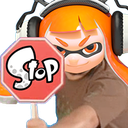
This emoji features an Inkling from the popular Nintendo game Splatoon holding up a stop sign. It is a staple in gaming communities for abruptly halting off-topic discussions, rejecting bad takes, or playfully telling someone to quit what they are doing. The aggressive yet cute aesthetic makes it perfect for Discord servers where Splatoon fans congregate.
When to use it
- Stopping someone from saying something ridiculous
- Halting an argument in a text channel
- Rejecting a bad suggestion in chat
- Telling a user to stop spamming messages
Part of these collections
Related emoji searches
More inspired emojis
Embed & share
How to add this emoji
Add to Discord
- Click Add to my server above and pick a Discord server you manage (CommunityOne must be installed).
- Or download the file: open Discord → Server Settings → Emoji → Upload Emoji.
- Give it a name and save. You need Manage Server (or Create Expressions) permission.
Add to Slack
- Download the stop image.
- Open the Slack emoji picker and click Add Emoji.
- Upload the file, name it, and save.
Add to Revolt/Stoat
- Download the stop image.
- Open Server Settings → Emojis in Revolt or Stoat.
- Upload the file and name your new emoji.
Add to Guilded
- Download the stop image.
- Go to Server Settings → Emotes in Guilded.
- Upload the file and give it a name.











