jiggly (Animated)
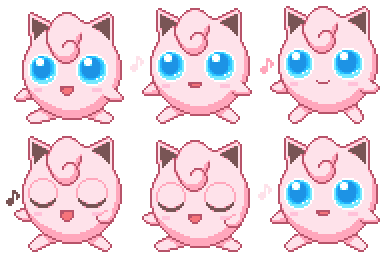
What does the jiggly emoji mean?
Jigglypuff sings its iconic lullaby to put your chat to sleep.
This animated emoji features Jigglypuff from the Pokémon franchise performing its signature Sing move. It is a classic reference to the anime where the character puts everyone to sleep, making it perfect for Discord servers when a conversation is getting boring or when you want to playfully silence a chat.
When to use it
- Putting a boring chat to sleep immediately
- Signaling that you are ready for bed
- Playfully silencing someone who is talking too much
- Reacting to a long and tedious message
Also known as:
:vanille:
Part of these collections
Related emoji searches
More inspired emojis
Embed & share
How to add this emoji
Add to Discord
- Click Add to my server above and pick a Discord server you manage (CommunityOne must be installed).
- Or download the file: open Discord → Server Settings → Emoji → Upload Emoji.
- Give it a name and save. You need Manage Server (or Create Expressions) permission.
Add to Slack
- Download the jiggly image.
- Open the Slack emoji picker and click Add Emoji.
- Upload the file, name it, and save.
Add to Revolt/Stoat
- Download the jiggly image.
- Open Server Settings → Emojis in Revolt or Stoat.
- Upload the file and name your new emoji.
Add to Guilded
- Download the jiggly image.
- Go to Server Settings → Emotes in Guilded.
- Upload the file and give it a name.











