k9_ghostconfused
What does the k9_ghostconfused emoji mean?
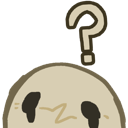
A cute little ghost who has absolutely no idea what is going on.
This emoji features a minimalist, hand-drawn style ghost character looking visibly perplexed with a large question mark floating above its head. It is a staple in Discord servers for moments of genuine confusion, bewilderment, or when a conversation takes a turn that leaves everyone scratching their heads. Its simple, charming design makes it a versatile reaction for any situation requiring a lighthearted expression of uncertainty.
When to use it
- -expressing total confusion during a chat
- -reacting to a bizarre or nonsensical statement
- -signaling that you do not understand something
- -asking for clarification on a confusing topic
Part of these collections
Related emoji searches
More inspired emojis
Embed & share
How to add this emoji
Add to Discord
- Click Add to my server above and pick a Discord server you manage (CommunityOne must be installed).
- Or download the file: open Discord → Server Settings → Emoji → Upload Emoji.
- Give it a name and save. You need Manage Server (or Create Expressions) permission.
Add to Slack
- Download the k9_ghostconfused image.
- Open the Slack emoji picker and click Add Emoji.
- Upload the file, name it, and save.
Add to Revolt/Stoat
- Download the k9_ghostconfused image.
- Open Server Settings → Emojis in Revolt or Stoat.
- Upload the file and name your new emoji.
Add to Guilded
- Download the k9_ghostconfused image.
- Go to Server Settings → Emotes in Guilded.
- Upload the file and give it a name.











