kana (Animated)
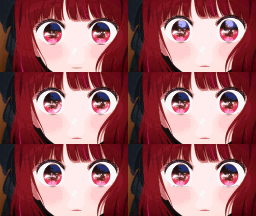
What does the kana emoji mean?
A wide-eyed, intense stare that captures pure, unadulterated shock or realization.
This emoji features a close-up of an anime-style character with large, expressive eyes that shift subtly, conveying a sense of sudden realization or intense focus. It is commonly used in Discord servers to react to surprising news, awkward moments, or when someone says something particularly questionable. The intense, unblinking gaze makes it perfect for adding a layer of comedic tension to any chat conversation.
When to use it
- Reacting to a sudden shocking plot twist
- Expressing confusion at a bizarre chat message
- Staring down someone who said something silly
- Highlighting a moment of intense awkward silence
Part of these collections
Related emoji searches
More inspired emojis
Embed & share
How to add this emoji
Add to Discord
- Click Add to my server above and pick a Discord server you manage (CommunityOne must be installed).
- Or download the file: open Discord → Server Settings → Emoji → Upload Emoji.
- Give it a name and save. You need Manage Server (or Create Expressions) permission.
Add to Slack
- Download the kana image.
- Open the Slack emoji picker and click Add Emoji.
- Upload the file, name it, and save.
Add to Revolt/Stoat
- Download the kana image.
- Open Server Settings → Emojis in Revolt or Stoat.
- Upload the file and name your new emoji.
Add to Guilded
- Download the kana image.
- Go to Server Settings → Emotes in Guilded.
- Upload the file and give it a name.











