Location
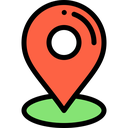
What does the Location emoji mean?
Pinpoint exactly where the chaos is happening.
This classic map pin icon is a staple for Discord servers, used to signal physical locations, meeting spots, or to sarcastically point out where someone messed up. It draws from standard GPS and navigation UI design, making it universally recognizable for coordinating events or highlighting specific channels. Whether you are planning a meetup or just marking a spot, this icon gets the job done.
When to use it
- Sharing the address for a local meetup
- Pointing out a specific channel for help
- Marking the location of a gaming event
- Highlighting where a conversation went wrong
Part of these collections
Related emoji searches
More inspired emojis
Embed & share
How to add this emoji
Add to Discord
- Click Add to my server above and pick a Discord server you manage (CommunityOne must be installed).
- Or download the file: open Discord → Server Settings → Emoji → Upload Emoji.
- Give it a name and save. You need Manage Server (or Create Expressions) permission.
Add to Slack
- Download the Location image.
- Open the Slack emoji picker and click Add Emoji.
- Upload the file, name it, and save.
Add to Revolt/Stoat
- Download the Location image.
- Open Server Settings → Emojis in Revolt or Stoat.
- Upload the file and name your new emoji.
Add to Guilded
- Download the Location image.
- Go to Server Settings → Emotes in Guilded.
- Upload the file and give it a name.











