mammoth
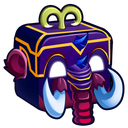
What does the mammoth emoji mean?
A whimsical, fruit-inspired mammoth box that brings a dash of prehistoric charm to your chats.
This emoji features a stylized, blocky creature that blends the features of a mammoth with a fruit-like box design, likely originating from the Blox Fruits game community. It is commonly used in Discord servers dedicated to gaming or trading to represent the Mammoth Fruit item. Its unique, colorful aesthetic makes it a popular choice for adding a playful, game-specific flair to conversations.
When to use it
- Celebrating finding a rare fruit in-game
- Trading items with other players in chat
- Expressing excitement about a new game update
- Showing off your current inventory to friends
Also known as:
:DV_Mammoth: :822085mammothfruit: :a_mammoth: :emoji_9: :emoji_10: :emoji_30:
Variations
Part of these collections
Related emoji searches
More inspired emojis
Embed & share
How to add this emoji
Add to Discord
- Click Add to my server above and pick a Discord server you manage (CommunityOne must be installed).
- Or download the file: open Discord → Server Settings → Emoji → Upload Emoji.
- Give it a name and save. You need Manage Server (or Create Expressions) permission.
Add to Slack
- Download the mammoth image.
- Open the Slack emoji picker and click Add Emoji.
- Upload the file, name it, and save.
Add to Revolt/Stoat
- Download the mammoth image.
- Open Server Settings → Emojis in Revolt or Stoat.
- Upload the file and name your new emoji.
Add to Guilded
- Download the mammoth image.
- Go to Server Settings → Emotes in Guilded.
- Upload the file and give it a name.











