melodyletsgo
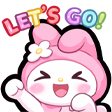
What does the melodyletsgo emoji mean?
My Melody brings maximum hype and pure joy to your chat.
This emoji features My Melody, the iconic Sanrio character, expressing intense excitement with a 'LET'S GO!' banner. It is a staple in Discord servers for celebrating wins, starting a new activity, or showing enthusiastic agreement with friends.
When to use it
- Celebrating a successful team win in games
- Expressing excitement for a new server event
- Showing agreement to start a group activity
- Hyping up friends before a competitive match
Part of these collections
Related emoji searches
More inspired emojis
Embed & share
How to add this emoji
Add to Discord
- Click Add to my server above and pick a Discord server you manage (CommunityOne must be installed).
- Or download the file: open Discord → Server Settings → Emoji → Upload Emoji.
- Give it a name and save. You need Manage Server (or Create Expressions) permission.
Add to Slack
- Download the melodyletsgo image.
- Open the Slack emoji picker and click Add Emoji.
- Upload the file, name it, and save.
Add to Revolt/Stoat
- Download the melodyletsgo image.
- Open Server Settings → Emojis in Revolt or Stoat.
- Upload the file and name your new emoji.
Add to Guilded
- Download the melodyletsgo image.
- Go to Server Settings → Emotes in Guilded.
- Upload the file and give it a name.











