cutecat (Animated)
What does the cutecat emoji mean?
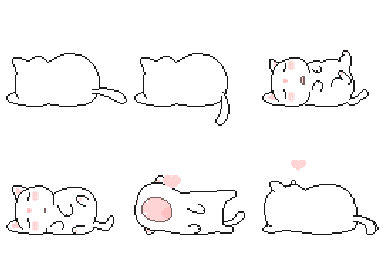
A squishy, adorable white cat rolling around in pure, unadulterated bliss.
This Mochi Cat emoji captures the quintessential 'soft' aesthetic popular in internet culture, often associated with relaxing or feeling overwhelmed by cuteness. It is a staple in Discord servers for expressing comfort, laziness, or a playful 'I'm just vibing here' attitude. Its simple, clean pixel art style makes it highly readable even at small sizes in chat.
When to use it
- Expressing extreme comfort after a long day
- Showing off a lazy and relaxed mood
- Reacting to something incredibly cute and soft
- Signaling that you are just chilling out
Part of these collections
Related emoji searches
More inspired emojis
Embed & share
How to add this emoji
Add to Discord
- Click Add to my server above and pick a Discord server you manage (CommunityOne must be installed).
- Or download the file: open Discord → Server Settings → Emoji → Upload Emoji.
- Give it a name and save. You need Manage Server (or Create Expressions) permission.
Add to Slack
- Download the cutecat image.
- Open the Slack emoji picker and click Add Emoji.
- Upload the file, name it, and save.
Add to Revolt/Stoat
- Download the cutecat image.
- Open Server Settings → Emojis in Revolt or Stoat.
- Upload the file and name your new emoji.
Add to Guilded
- Download the cutecat image.
- Go to Server Settings → Emotes in Guilded.
- Upload the file and give it a name.











