lookaround (Animated)
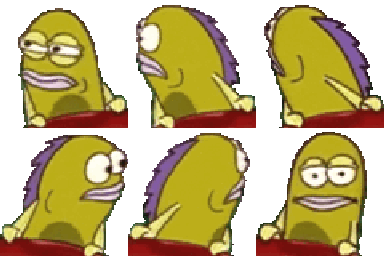
What does the lookaround emoji mean?
The ultimate side-eye for when you're questioning everything in the chat.
This emoji features the iconic background fish from SpongeBob SquarePants, known for its skeptical and unimpressed expression. It has become a staple in Discord servers as a way to express doubt, suspicion, or a 'mod check' when users are acting out or saying something questionable. It is the perfect reaction for when you need to signal that you are watching someone closely.
When to use it
- Questioning someone's suspicious behavior in chat
- Checking if a moderator is currently active
- Expressing doubt about a questionable statement
- Watching the chaos unfold in the channel
Also known as:
:where_are_the_egirls_at: :W_NeckBreak: :vv_spongemodcheck: :sus: :FR_whome: :what:
Part of these collections
Related emoji searches
More inspired emojis
Embed & share
How to add this emoji
Add to Discord
- Click Add to my server above and pick a Discord server you manage (CommunityOne must be installed).
- Or download the file: open Discord → Server Settings → Emoji → Upload Emoji.
- Give it a name and save. You need Manage Server (or Create Expressions) permission.
Add to Slack
- Download the lookaround image.
- Open the Slack emoji picker and click Add Emoji.
- Upload the file, name it, and save.
Add to Revolt/Stoat
- Download the lookaround image.
- Open Server Settings → Emojis in Revolt or Stoat.
- Upload the file and name your new emoji.
Add to Guilded
- Download the lookaround image.
- Go to Server Settings → Emotes in Guilded.
- Upload the file and give it a name.











