64ea9f0e6c8f44f98866429edbad9784
Skip the manual upload: CommunityOne can add it straight to your server.
What does the 64ea9f0e6c8f44f98866429edbad9784 emoji mean?
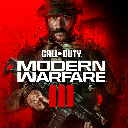
Gear up for tactical chaos with this intense Modern Warfare III emoji.
This emoji features the iconic branding for Call of Duty: Modern Warfare III, capturing the high-stakes, aggressive energy of the popular first-person shooter franchise. It is perfect for Discord servers dedicated to gaming, competitive play, or coordinating squad matches. Use it to signal that it is time to drop into a game or to express intensity during a heated match.
When to use it
- Signaling that it is time to play
- Showing intensity during a competitive match
- Announcing a new Call of Duty update
- Representing a hardcore gaming squad vibe
Part of these collections
Related emoji searches
More inspired emojis
Embed & share
How to add this emoji
Add to Discord
- Click Add to my server above and pick a Discord server you manage (CommunityOne must be installed).
- Or download the file: open Discord → Server Settings → Emoji → Upload Emoji.
- Give it a name and save. You need Manage Server (or Create Expressions) permission.
Add to Slack
- Download the 64ea9f0e6c8f44f98866429edbad9784 image.
- Open the Slack emoji picker and click Add Emoji.
- Upload the file, name it, and save.
Add to Revolt/Stoat
- Download the 64ea9f0e6c8f44f98866429edbad9784 image.
- Open Server Settings → Emojis in Revolt or Stoat.
- Upload the file and name your new emoji.
Add to Guilded
- Download the 64ea9f0e6c8f44f98866429edbad9784 image.
- Go to Server Settings → Emotes in Guilded.
- Upload the file and give it a name.











