mood
Skip the manual upload: CommunityOne can add it straight to your server.
What does the mood emoji mean?
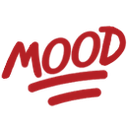
The ultimate way to signal that you are absolutely feeling the vibe.
This emoji features the word 'MOOD' written in a bold, stylized font with a signature underline, mimicking the popular internet slang used to express relatability. It is a staple in Discord and Slack servers for reacting to memes, relatable statements, or shared experiences that perfectly capture a user's current state of mind.
When to use it
- Acknowledging a highly relatable meme post
- Expressing total agreement with a shared sentiment
- Validating a friend's funny or chaotic situation
- Reacting to a perfect description of feelings
Also known as:
:wordsmood:
Part of these collections
Related emoji searches
More inspired emojis
Embed & share
How to add this emoji
Add to Discord
- Click Add to my server above and pick a Discord server you manage (CommunityOne must be installed).
- Or download the file: open Discord → Server Settings → Emoji → Upload Emoji.
- Give it a name and save. You need Manage Server (or Create Expressions) permission.
Add to Slack
- Download the mood image.
- Open the Slack emoji picker and click Add Emoji.
- Upload the file, name it, and save.
Add to Revolt/Stoat
- Download the mood image.
- Open Server Settings → Emojis in Revolt or Stoat.
- Upload the file and name your new emoji.
Add to Guilded
- Download the mood image.
- Go to Server Settings → Emotes in Guilded.
- Upload the file and give it a name.











