muhehhehe
What does the muhehhehe emoji mean?
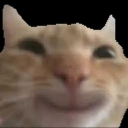
A mischievous ginger cat with a sly, knowing smirk.
This iconic meme features a close-up of an orange tabby cat with a distinct, human-like smirk that suggests it is up to no good. It is widely used in Discord and Slack to convey smugness, secret amusement, or a 'gotcha' moment when someone says something questionable. The distorted, low-quality aesthetic adds to its comedic impact, making it a staple for ironic or playful banter.
When to use it
- Reacting to a friend's suspicious or funny claim
- Showing smug satisfaction after winning an argument
- Expressing secret amusement at a chaotic situation
- Teasing someone with a sly and knowing look
Also known as:
:emoji_101:
Part of these collections
Related emoji searches
More inspired emojis
Embed & share
How to add this emoji
Add to Discord
- Click Add to my server above and pick a Discord server you manage (CommunityOne must be installed).
- Or download the file: open Discord → Server Settings → Emoji → Upload Emoji.
- Give it a name and save. You need Manage Server (or Create Expressions) permission.
Add to Slack
- Download the muhehhehe image.
- Open the Slack emoji picker and click Add Emoji.
- Upload the file, name it, and save.
Add to Revolt/Stoat
- Download the muhehhehe image.
- Open Server Settings → Emojis in Revolt or Stoat.
- Upload the file and name your new emoji.
Add to Guilded
- Download the muhehhehe image.
- Go to Server Settings → Emotes in Guilded.
- Upload the file and give it a name.











