Nice
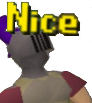
What does the Nice emoji mean?
The quintessential RuneScape reaction for when something is just right.
This emoji features the iconic 'Nice' text overlay from the classic MMORPG RuneScape, often used to celebrate achievements or acknowledge a funny moment. It has become a staple in gaming communities as a shorthand for approval, irony, or simple acknowledgment of the number 69. It is perfect for Discord servers looking to add a touch of nostalgic gaming humor to their chat.
When to use it
- Acknowledging a funny or impressive gaming achievement
- Reacting to a message containing the number sixty-nine
- Showing approval for a clever or witty comment
- Celebrating a minor victory in a group chat
Part of these collections
Related emoji searches
More inspired emojis
Embed & share
How to add this emoji
Add to Discord
- Click Add to my server above and pick a Discord server you manage (CommunityOne must be installed).
- Or download the file: open Discord → Server Settings → Emoji → Upload Emoji.
- Give it a name and save. You need Manage Server (or Create Expressions) permission.
Add to Slack
- Download the Nice image.
- Open the Slack emoji picker and click Add Emoji.
- Upload the file, name it, and save.
Add to Revolt/Stoat
- Download the Nice image.
- Open Server Settings → Emojis in Revolt or Stoat.
- Upload the file and name your new emoji.
Add to Guilded
- Download the Nice image.
- Go to Server Settings → Emotes in Guilded.
- Upload the file and give it a name.











