ArchNem
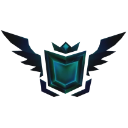
What does the ArchNem emoji mean?
A sleek, dark shield icon that signals you are keeping it real with no filters attached.
This emoji features a stylized, dark-themed shield with glowing teal accents and wings, often used to represent authenticity or a 'no-filter' attitude in digital conversations. It is frequently deployed in gaming communities or social servers to signify that someone is being completely honest, unfiltered, or 'raw' in their opinions. It serves as a visual badge for those who value transparency over curated online personas.
When to use it
- Expressing your raw and unfiltered opinion clearly
- Showing off your authentic and honest personality
- Signaling that you have nothing to hide
- Declaring a state of total transparency online
Part of these collections
Related emoji searches
More inspired emojis
Embed & share
How to add this emoji
Add to Discord
- Click Add to my server above and pick a Discord server you manage (CommunityOne must be installed).
- Or download the file: open Discord → Server Settings → Emoji → Upload Emoji.
- Give it a name and save. You need Manage Server (or Create Expressions) permission.
Add to Slack
- Download the ArchNem image.
- Open the Slack emoji picker and click Add Emoji.
- Upload the file, name it, and save.
Add to Revolt/Stoat
- Download the ArchNem image.
- Open Server Settings → Emojis in Revolt or Stoat.
- Upload the file and name your new emoji.
Add to Guilded
- Download the ArchNem image.
- Go to Server Settings → Emotes in Guilded.
- Upload the file and give it a name.











