ns2
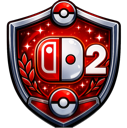
What does the ns2 emoji mean?
The ultimate hype badge for the next generation of portable gaming.
This emoji features a stylized shield emblem incorporating the iconic Nintendo Switch controller design and the number two, referencing the highly anticipated successor console. It is frequently used in gaming communities to express excitement, speculation, or anticipation regarding upcoming hardware announcements and rumors.
When to use it
- Expressing hype for the upcoming console release
- Speculating about new hardware features in chat
- Celebrating Nintendo gaming news with fellow fans
- Showing loyalty to the Nintendo brand community
Part of these collections
Related emoji searches
More inspired emojis
Embed & share
How to add this emoji
Add to Discord
- Click Add to my server above and pick a Discord server you manage (CommunityOne must be installed).
- Or download the file: open Discord → Server Settings → Emoji → Upload Emoji.
- Give it a name and save. You need Manage Server (or Create Expressions) permission.
Add to Slack
- Download the ns2 image.
- Open the Slack emoji picker and click Add Emoji.
- Upload the file, name it, and save.
Add to Revolt/Stoat
- Download the ns2 image.
- Open Server Settings → Emojis in Revolt or Stoat.
- Upload the file and name your new emoji.
Add to Guilded
- Download the ns2 image.
- Go to Server Settings → Emotes in Guilded.
- Upload the file and give it a name.











