oie_s3QAx9PHY59S
What does the oie_s3QAx9PHY59S emoji mean?
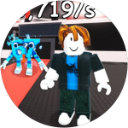
A classic Roblox bacon hair avatar stands proudly while a strange blue creature lurks in the background.
This emoji features a quintessential Roblox 'bacon hair' avatar, a symbol of new or casual players in the platform's community. The presence of the mysterious blue character in the background adds a layer of surreal humor, making it perfect for gaming servers where Roblox memes are frequently shared.
When to use it
- -showing off your new roblox avatar
- -reacting to a funny roblox moment
- -joking about being a roblox noob
- -highlighting a weird gaming server encounter
Part of these collections
Related emoji searches
More inspired emojis
Embed & share
How to add this emoji
Add to Discord
- Click Add to my server above and pick a Discord server you manage (CommunityOne must be installed).
- Or download the file: open Discord → Server Settings → Emoji → Upload Emoji.
- Give it a name and save. You need Manage Server (or Create Expressions) permission.
Add to Slack
- Download the oie_s3QAx9PHY59S image.
- Open the Slack emoji picker and click Add Emoji.
- Upload the file, name it, and save.
Add to Revolt/Stoat
- Download the oie_s3QAx9PHY59S image.
- Open Server Settings → Emojis in Revolt or Stoat.
- Upload the file and name your new emoji.
Add to Guilded
- Download the oie_s3QAx9PHY59S image.
- Go to Server Settings → Emotes in Guilded.
- Upload the file and give it a name.











