hmm_good
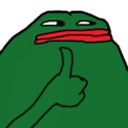
What does the hmm_good emoji mean?
A smug, low-effort thumbs up that says 'sure, whatever' better than words ever could.
This emoji features a distorted, minimalist version of the classic Pepe the Frog character giving a thumbs up. It is widely used in internet culture to convey a sense of sarcastic agreement, passive-aggressive approval, or dismissive acknowledgment during chat conversations. It is a staple for Discord servers looking to add a layer of irony to their reactions.
When to use it
- Acknowledging a request with sarcastic passive aggression
- Agreeing to something you do not actually care about
- Dismissing an argument with a smug thumbs up
- Reacting to a questionable plan with fake support
Part of these collections
Related emoji searches
More inspired emojis
Embed & share
How to add this emoji
Add to Discord
- Click Add to my server above and pick a Discord server you manage (CommunityOne must be installed).
- Or download the file: open Discord → Server Settings → Emoji → Upload Emoji.
- Give it a name and save. You need Manage Server (or Create Expressions) permission.
Add to Slack
- Download the hmm_good image.
- Open the Slack emoji picker and click Add Emoji.
- Upload the file, name it, and save.
Add to Revolt/Stoat
- Download the hmm_good image.
- Open Server Settings → Emojis in Revolt or Stoat.
- Upload the file and name your new emoji.
Add to Guilded
- Download the hmm_good image.
- Go to Server Settings → Emotes in Guilded.
- Upload the file and give it a name.











