pingu1
Skip the manual upload: CommunityOne can add it straight to your server.
What does the pingu1 emoji mean?
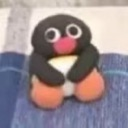
Pingu is staring directly into your soul with pure, unadulterated chaos.
This emoji features the iconic claymation penguin Pingu, known for his expressive, often nonsensical, and chaotic personality. It is widely used in Discord servers to convey a sense of awkwardness, intense focus, or a 'thousand-yard stare' when someone says something particularly bizarre in chat.
When to use it
- Reacting to someone saying something completely bizarre
- Expressing intense awkwardness during a conversation
- Staring blankly at a confusing chat message
- Highlighting a moment of pure social chaos
Part of these collections
Related emoji searches
More inspired emojis
Embed & share
How to add this emoji
Add to Discord
- Click Add to my server above and pick a Discord server you manage (CommunityOne must be installed).
- Or download the file: open Discord → Server Settings → Emoji → Upload Emoji.
- Give it a name and save. You need Manage Server (or Create Expressions) permission.
Add to Slack
- Download the pingu1 image.
- Open the Slack emoji picker and click Add Emoji.
- Upload the file, name it, and save.
Add to Revolt/Stoat
- Download the pingu1 image.
- Open Server Settings → Emojis in Revolt or Stoat.
- Upload the file and name your new emoji.
Add to Guilded
- Download the pingu1 image.
- Go to Server Settings → Emotes in Guilded.
- Upload the file and give it a name.











