privacy (Animated)
What does the privacy emoji mean?
When the privacy settings are just a suggestion.
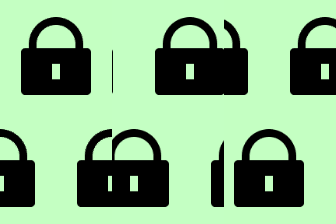
This emoji features a series of padlock icons that appear to be breaking or malfunctioning, representing a humorous take on digital security. It is commonly used in Discord servers to mock weak passwords, failed encryption, or when someone accidentally reveals something they shouldn't have.
When to use it
- Mocking someone for having a weak password
- Highlighting a major security breach in chat
- Joking about failed attempts at digital privacy
- Reacting to someone leaking private server information
Part of these collections
Related emoji searches
More inspired emojis
Embed & share
How to add this emoji
Add to Discord
- Click Add to my server above and pick a Discord server you manage (CommunityOne must be installed).
- Or download the file: open Discord → Server Settings → Emoji → Upload Emoji.
- Give it a name and save. You need Manage Server (or Create Expressions) permission.
Add to Slack
- Download the privacy image.
- Open the Slack emoji picker and click Add Emoji.
- Upload the file, name it, and save.
Add to Revolt/Stoat
- Download the privacy image.
- Open Server Settings → Emojis in Revolt or Stoat.
- Upload the file and name your new emoji.
Add to Guilded
- Download the privacy image.
- Go to Server Settings → Emotes in Guilded.
- Upload the file and give it a name.











