raccoonThumbsUp128x128
Skip the manual upload: CommunityOne can add it straight to your server.
What does the raccoonThumbsUp128x128 emoji mean?
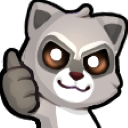
A mischievous raccoon gives a thumbs up with a mysterious, glowing-eyed grin.
This custom raccoon emoji captures a blend of playful chaos and dark humor, perfect for Discord servers that lean into meme culture. With its glowing eyes and sly expression, it serves as the ultimate reaction for when you're technically agreeing, but with a hint of suspicious intent or chaotic energy.
When to use it
- Acknowledging a chaotic plan with dark humor
- Agreeing to something while feeling slightly suspicious
- Giving a sarcastic thumbs up to friends
- Reacting to a questionable but funny suggestion
Part of these collections
Related emoji searches
More inspired emojis
Embed & share
How to add this emoji
Add to Discord
- Click Add to my server above and pick a Discord server you manage (CommunityOne must be installed).
- Or download the file: open Discord → Server Settings → Emoji → Upload Emoji.
- Give it a name and save. You need Manage Server (or Create Expressions) permission.
Add to Slack
- Download the raccoonThumbsUp128x128 image.
- Open the Slack emoji picker and click Add Emoji.
- Upload the file, name it, and save.
Add to Revolt/Stoat
- Download the raccoonThumbsUp128x128 image.
- Open Server Settings → Emojis in Revolt or Stoat.
- Upload the file and name your new emoji.
Add to Guilded
- Download the raccoonThumbsUp128x128 image.
- Go to Server Settings → Emotes in Guilded.
- Upload the file and give it a name.











