readrules
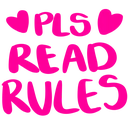
What does the readrules emoji mean?
A bold, neon-pink reminder to check the server guidelines.
This emoji is a staple for community management, featuring bright, pixelated text that commands attention. It is frequently used by moderators to direct new or unruly members to the server's rules channel without needing to type out a full message.
When to use it
- Directing new users to the rules channel
- Reminding members to follow server guidelines
- Moderating chat during heated community discussions
- Enforcing server policy with a visual cue
Part of these collections
Related emoji searches
More inspired emojis
Embed & share
How to add this emoji
Add to Discord
- Click Add to my server above and pick a Discord server you manage (CommunityOne must be installed).
- Or download the file: open Discord → Server Settings → Emoji → Upload Emoji.
- Give it a name and save. You need Manage Server (or Create Expressions) permission.
Add to Slack
- Download the readrules image.
- Open the Slack emoji picker and click Add Emoji.
- Upload the file, name it, and save.
Add to Revolt/Stoat
- Download the readrules image.
- Open Server Settings → Emojis in Revolt or Stoat.
- Upload the file and name your new emoji.
Add to Guilded
- Download the readrules image.
- Go to Server Settings → Emotes in Guilded.
- Upload the file and give it a name.











