Screenshot20260530224424
Skip the manual upload: CommunityOne can add it straight to your server.
What does the Screenshot20260530224424 emoji mean?
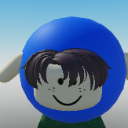
A goofy Roblox character wearing a blue helmet and sporting a charmingly awkward grin.
This emoji features a classic Roblox-style avatar head encased in a bright blue helmet, often used in gaming communities to represent a sense of lighthearted silliness. It captures the quintessential 'noob' or casual gamer aesthetic, making it perfect for reacting to funny moments, failed attempts, or just keeping the chat vibe chill and friendly.
When to use it
- Reacting to a funny or silly moment
- Showing off a casual gaming vibe
- Acknowledging a lighthearted or awkward situation
- Representing a classic Roblox player aesthetic
Part of these collections
Related emoji searches
More inspired emojis
Embed & share
How to add this emoji
Add to Discord
- Click Add to my server above and pick a Discord server you manage (CommunityOne must be installed).
- Or download the file: open Discord → Server Settings → Emoji → Upload Emoji.
- Give it a name and save. You need Manage Server (or Create Expressions) permission.
Add to Slack
- Download the Screenshot20260530224424 image.
- Open the Slack emoji picker and click Add Emoji.
- Upload the file, name it, and save.
Add to Revolt/Stoat
- Download the Screenshot20260530224424 image.
- Open Server Settings → Emojis in Revolt or Stoat.
- Upload the file and name your new emoji.
Add to Guilded
- Download the Screenshot20260530224424 image.
- Go to Server Settings → Emotes in Guilded.
- Upload the file and give it a name.











