roundy
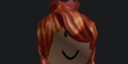
What does the roundy emoji mean?
A classic Roblox avatar face that radiates pure, unbothered energy.
This emoji features the iconic Roblox 'default' face, often associated with the 'bacon hair' aesthetic within the Roblox community. It is frequently used in Discord servers to convey a sense of nonchalance, mild confusion, or a 'no thoughts, head empty' vibe during gaming discussions or casual chat.
When to use it
- Expressing a state of total confusion
- Reacting to a genuinely silly comment
- Showing a lack of any deep thoughts
- Acknowledging a funny or awkward moment
Part of these collections
Related emoji searches
More inspired emojis
Embed & share
How to add this emoji
Add to Discord
- Click Add to my server above and pick a Discord server you manage (CommunityOne must be installed).
- Or download the file: open Discord → Server Settings → Emoji → Upload Emoji.
- Give it a name and save. You need Manage Server (or Create Expressions) permission.
Add to Slack
- Download the roundy image.
- Open the Slack emoji picker and click Add Emoji.
- Upload the file, name it, and save.
Add to Revolt/Stoat
- Download the roundy image.
- Open Server Settings → Emojis in Revolt or Stoat.
- Upload the file and name your new emoji.
Add to Guilded
- Download the roundy image.
- Go to Server Settings → Emotes in Guilded.
- Upload the file and give it a name.











