68525460_2769734696379303_178623
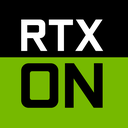
What does the 68525460_2769734696379303_178623 emoji mean?
The ultimate flex for when your graphics settings are maxed out.
This emoji references the iconic NVIDIA marketing campaign for their RTX graphics cards, which popularized the 'RTX ON' meme format. It is used in gaming communities to sarcastically or genuinely celebrate high-fidelity visuals, ray tracing, or simply to flex superior hardware performance during a chat discussion.
When to use it
- Flexing high graphics settings in a game
- Mocking someone with low resolution screen captures
- Celebrating a new GPU hardware upgrade purchase
- Highlighting realistic lighting in a game screenshot
Part of these collections
Related emoji searches
More inspired emojis
Embed & share
How to add this emoji
Add to Discord
- Click Add to my server above and pick a Discord server you manage (CommunityOne must be installed).
- Or download the file: open Discord → Server Settings → Emoji → Upload Emoji.
- Give it a name and save. You need Manage Server (or Create Expressions) permission.
Add to Slack
- Download the 68525460_2769734696379303_178623 image.
- Open the Slack emoji picker and click Add Emoji.
- Upload the file, name it, and save.
Add to Revolt/Stoat
- Download the 68525460_2769734696379303_178623 image.
- Open Server Settings → Emojis in Revolt or Stoat.
- Upload the file and name your new emoji.
Add to Guilded
- Download the 68525460_2769734696379303_178623 image.
- Go to Server Settings → Emotes in Guilded.
- Upload the file and give it a name.











