Screenshot_20260328194239869_com
What does the Screenshot_20260328194239869_com emoji mean?
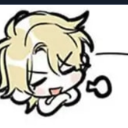
A smug, blonde anime character looking absolutely unimpressed.
This emoji features a stylized, chibi-style blonde character with a classic 'smug' expression, often used in anime and manga to convey superiority or playful condescension. It is perfect for Discord servers when someone says something questionable or when you want to react with a dash of sass and irony.
When to use it
- Reacting to a friend's questionable hot take
- Showing off a sense of playful superiority
- Dismissing a silly comment with pure sass
- Expressing disbelief at a ridiculous statement
Part of these collections
Related emoji searches
More inspired emojis
Embed & share
How to add this emoji
Add to Discord
- Click Add to my server above and pick a Discord server you manage (CommunityOne must be installed).
- Or download the file: open Discord → Server Settings → Emoji → Upload Emoji.
- Give it a name and save. You need Manage Server (or Create Expressions) permission.
Add to Slack
- Download the Screenshot_20260328194239869_com image.
- Open the Slack emoji picker and click Add Emoji.
- Upload the file, name it, and save.
Add to Revolt/Stoat
- Download the Screenshot_20260328194239869_com image.
- Open Server Settings → Emojis in Revolt or Stoat.
- Upload the file and name your new emoji.
Add to Guilded
- Download the Screenshot_20260328194239869_com image.
- Go to Server Settings → Emotes in Guilded.
- Upload the file and give it a name.











