SharkScream
What does the SharkScream emoji mean?
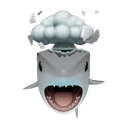
A shark losing its mind in the most chaotic way possible.
This emoji features a shark with a storm cloud hovering over its head while it screams, perfectly capturing the feeling of being overwhelmed or having a total meltdown. It is a popular choice for Discord servers when a user wants to express frustration, chaos, or a 'brain-fried' state during intense gaming sessions or heated debates. The combination of the shark's aggressive expression and the stormy weather icon makes it a humorous way to signal that you are currently at your wit's end.
When to use it
- Expressing frustration during a difficult gaming match
- Signaling total mental overload after long days
- Reacting to chaotic or overwhelming chat messages
- Showing annoyance at a series of bad events
Part of these collections
Related emoji searches
More inspired emojis
Embed & share
How to add this emoji
Add to Discord
- Click Add to my server above and pick a Discord server you manage (CommunityOne must be installed).
- Or download the file: open Discord → Server Settings → Emoji → Upload Emoji.
- Give it a name and save. You need Manage Server (or Create Expressions) permission.
Add to Slack
- Download the SharkScream image.
- Open the Slack emoji picker and click Add Emoji.
- Upload the file, name it, and save.
Add to Revolt/Stoat
- Download the SharkScream image.
- Open Server Settings → Emojis in Revolt or Stoat.
- Upload the file and name your new emoji.
Add to Guilded
- Download the SharkScream image.
- Go to Server Settings → Emotes in Guilded.
- Upload the file and give it a name.











