SideEye
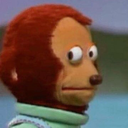
What does the SideEye emoji mean?
The ultimate reaction for when you are trying to act like you did not see anything.
This iconic image, known as 'Awkward Look Monkey,' originates from the Japanese children's show 'Ōkiku naru Ko.' It has become a staple of internet culture, perfectly capturing the feeling of being caught in an uncomfortable situation or trying to avoid eye contact after a blunder. In Discord, it is the go-to reaction for awkward silences, suspicious behavior, or when someone says something incredibly questionable.
When to use it
- Reacting to someone saying something very awkward
- Avoiding eye contact after making a mistake
- Showing suspicion when someone is acting weird
- Ignoring a question you do not want answered
Part of these collections
Related emoji searches
More inspired emojis
Embed & share
How to add this emoji
Add to Discord
- Click Add to my server above and pick a Discord server you manage (CommunityOne must be installed).
- Or download the file: open Discord → Server Settings → Emoji → Upload Emoji.
- Give it a name and save. You need Manage Server (or Create Expressions) permission.
Add to Slack
- Download the SideEye image.
- Open the Slack emoji picker and click Add Emoji.
- Upload the file, name it, and save.
Add to Revolt/Stoat
- Download the SideEye image.
- Open Server Settings → Emojis in Revolt or Stoat.
- Upload the file and name your new emoji.
Add to Guilded
- Download the SideEye image.
- Go to Server Settings → Emotes in Guilded.
- Upload the file and give it a name.











