sideLook
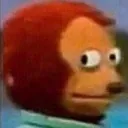
What does the sideLook emoji mean?
The ultimate reaction for when you're trying to act like you didn't just see that.
This is the iconic 'Awkward Look Monkey' puppet from the Japanese children's show 'Ōkiku naru Ko'. It has become a staple internet meme used to express discomfort, guilt, or the desire to avoid a conversation after something embarrassing happens. In Discord, it is the perfect tool to signal that you are silently judging a situation or pretending to be oblivious to a chaotic message.
When to use it
- Reacting to an incredibly awkward chat message
- Pretending you did not see the ping
- Avoiding responsibility for a recent server mistake
- Showing discomfort during a heated argument
Also known as:
:Hmmm:
Part of these collections
Related emoji searches
More inspired emojis
Embed & share
How to add this emoji
Add to Discord
- Click Add to my server above and pick a Discord server you manage (CommunityOne must be installed).
- Or download the file: open Discord → Server Settings → Emoji → Upload Emoji.
- Give it a name and save. You need Manage Server (or Create Expressions) permission.
Add to Slack
- Download the sideLook image.
- Open the Slack emoji picker and click Add Emoji.
- Upload the file, name it, and save.
Add to Revolt/Stoat
- Download the sideLook image.
- Open Server Settings → Emojis in Revolt or Stoat.
- Upload the file and name your new emoji.
Add to Guilded
- Download the sideLook image.
- Go to Server Settings → Emotes in Guilded.
- Upload the file and give it a name.











