Sim
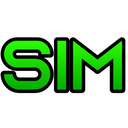
What does the Sim emoji mean?
The ultimate shorthand for when you're feeling a bit of a simp.
This emoji features the word 'SIM' in a bold, neon green font, serving as a direct and humorous callout for 'simp' behavior in online communities. It is commonly used in Discord servers to playfully tease friends or react to someone acting overly devoted or desperate for attention.
When to use it
- Calling out someone for being a total simp
- Reacting to overly devoted behavior in chat
- Teasing friends for their desperate romantic gestures
- Highlighting someone's obvious crush on another user
Part of these collections
Related emoji searches
More inspired emojis
Embed & share
How to add this emoji
Add to Discord
- Click Add to my server above and pick a Discord server you manage (CommunityOne must be installed).
- Or download the file: open Discord → Server Settings → Emoji → Upload Emoji.
- Give it a name and save. You need Manage Server (or Create Expressions) permission.
Add to Slack
- Download the Sim image.
- Open the Slack emoji picker and click Add Emoji.
- Upload the file, name it, and save.
Add to Revolt/Stoat
- Download the Sim image.
- Open Server Settings → Emojis in Revolt or Stoat.
- Upload the file and name your new emoji.
Add to Guilded
- Download the Sim image.
- Go to Server Settings → Emotes in Guilded.
- Upload the file and give it a name.











